An AI social media team that asks before it posts
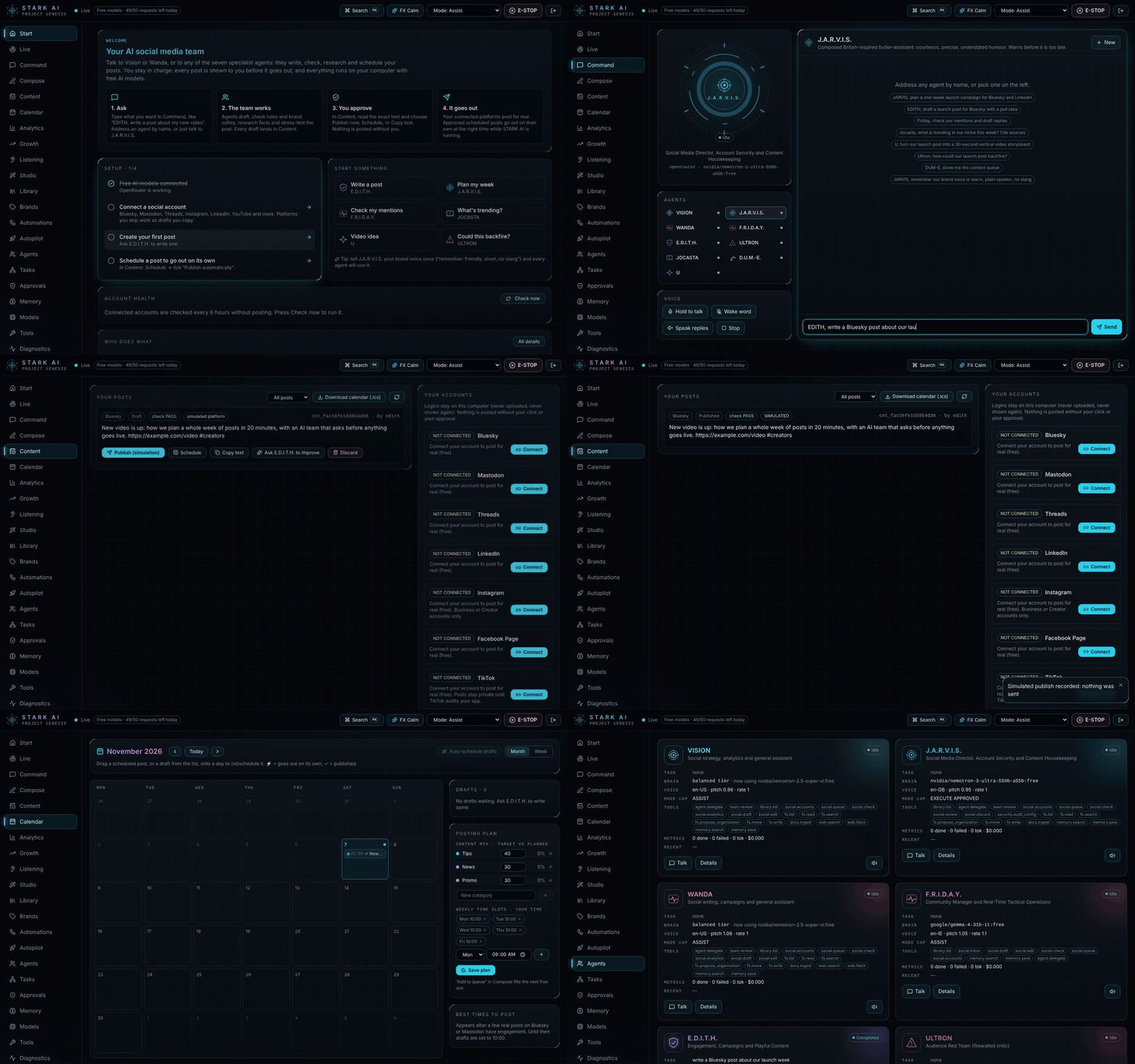
STARK AI is a free AI social media manager you run on your own computer. Talk to Vision and Wanda, two AI assistants, while seven specialist agents plan campaigns, write platform-native posts, triage mentions, research trends, stress-test content for backlash and schedule it, on free AI models. Nothing goes out until you approve the exact text.
Why people use STARK AI
Free, not a subscription
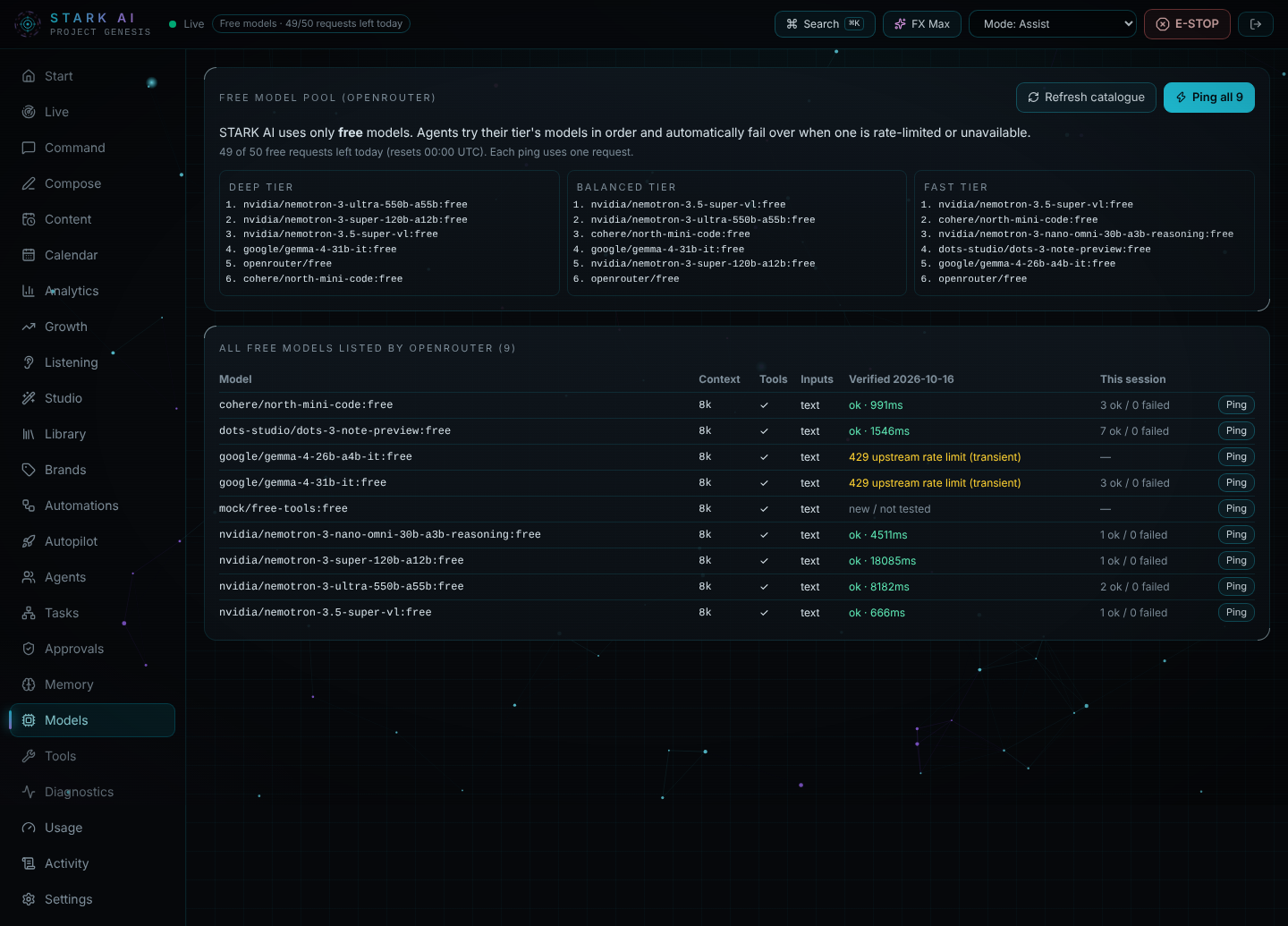
A self-hosted alternative to paid social media schedulers and AI writing tools. It runs on free OpenRouter models with automatic failover.
Autopilot
Set a campaign once. It finds fresh stories, picks SEO keywords and hashtags, writes and fact-checks a post per platform and schedules it. Approve the batch in one click, or let posts go out unless you cancel.
You stay in control
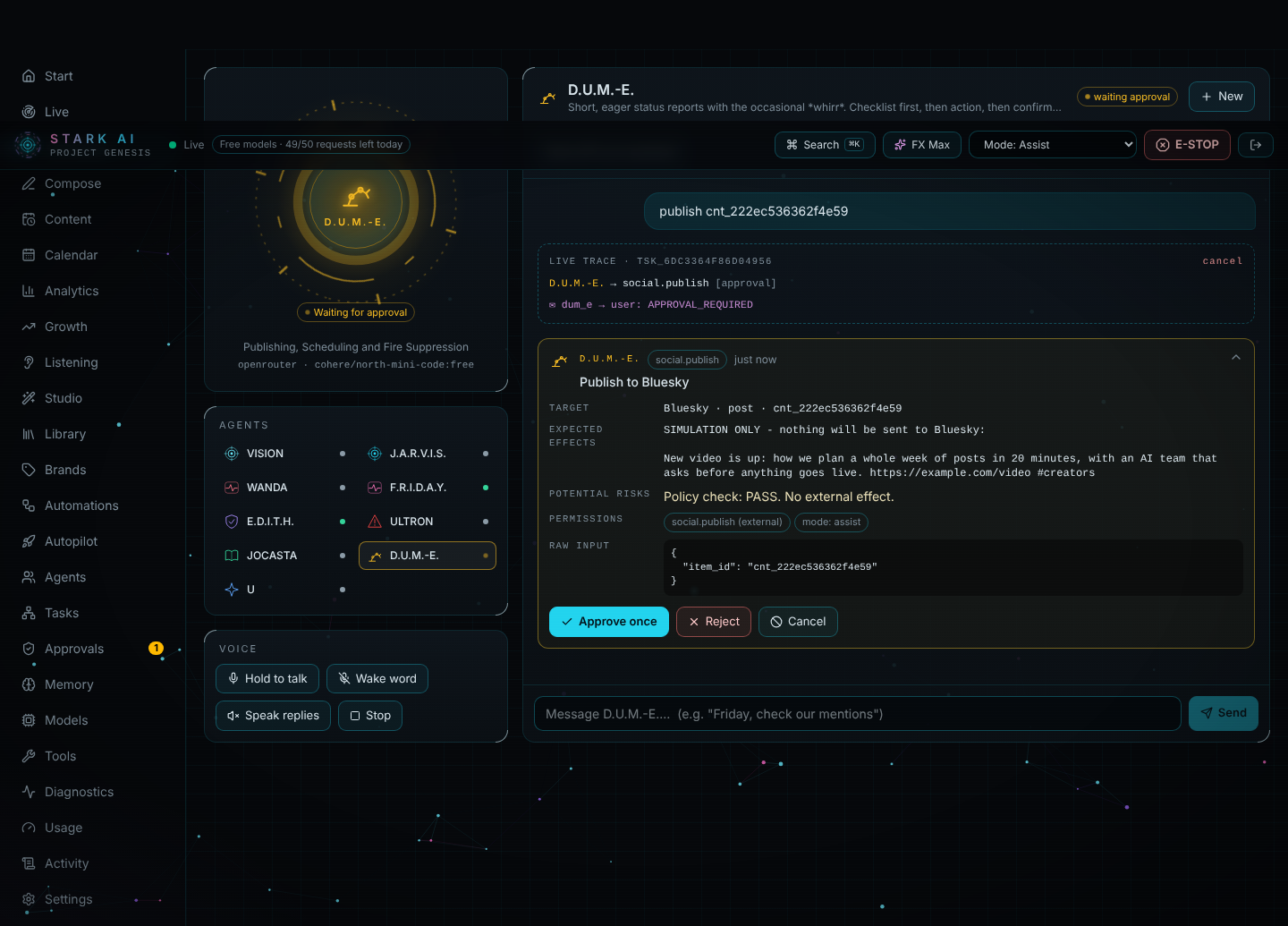
Every post is approved by you, or by a trust level you chose. Sensitive news always waits for you, any edit cancels an approval, and campaigns pause themselves if something looks wrong.
Vision and Wanda
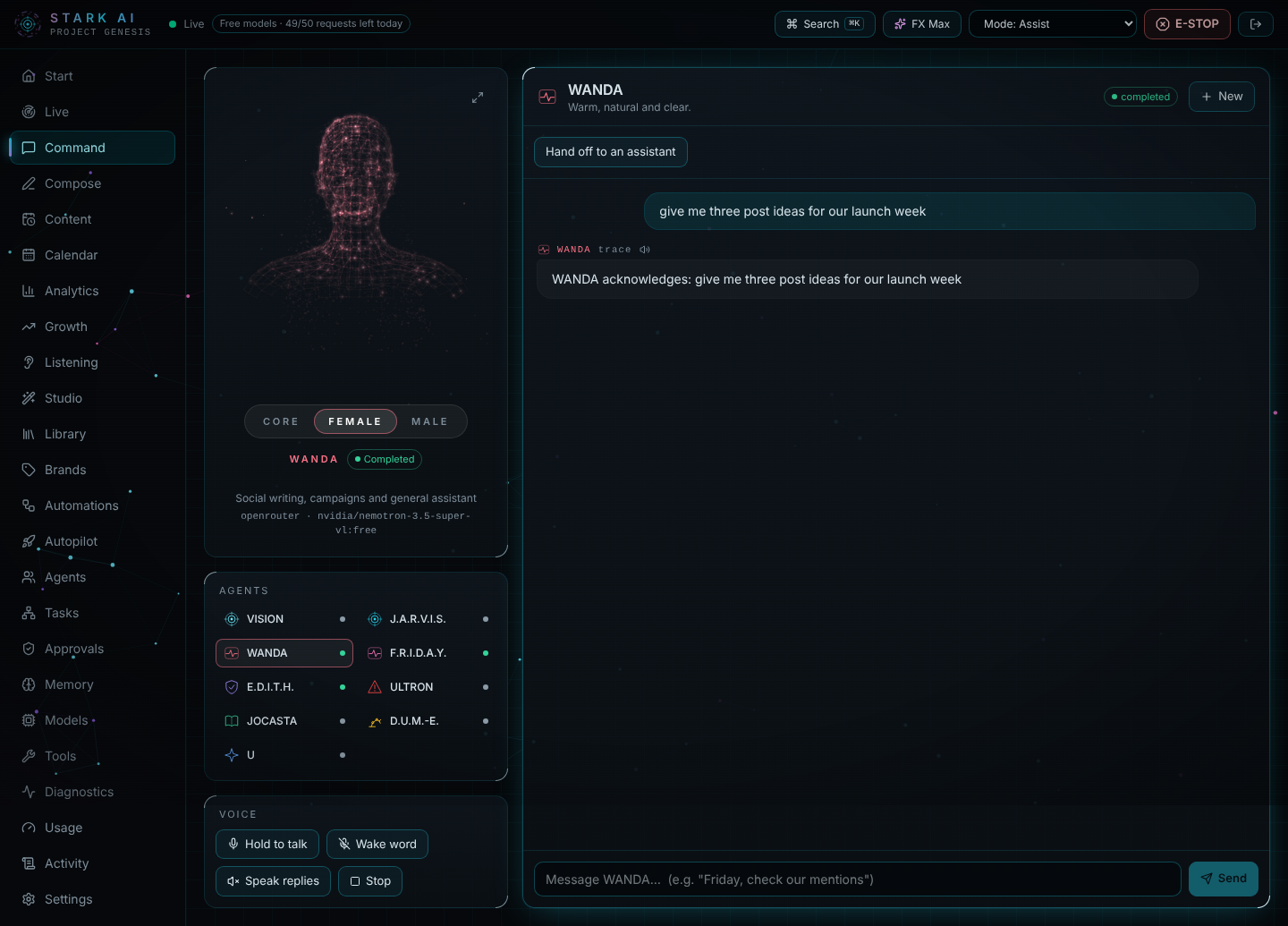
Two assistants you talk to by name, by text or voice in English or Urdu. Vision handles strategy and analytics, Wanda writes posts and campaigns, and both help with everyday questions too.
A team, not one chatbot
Seven specialist agents with separate jobs check each other's work, including a red-team agent that asks "how could this backfire?".
Rules in code
Every draft is checked for length limits, leaked passwords and keys, personal data, missing #ad disclosure and giveaway rules.
Real posting
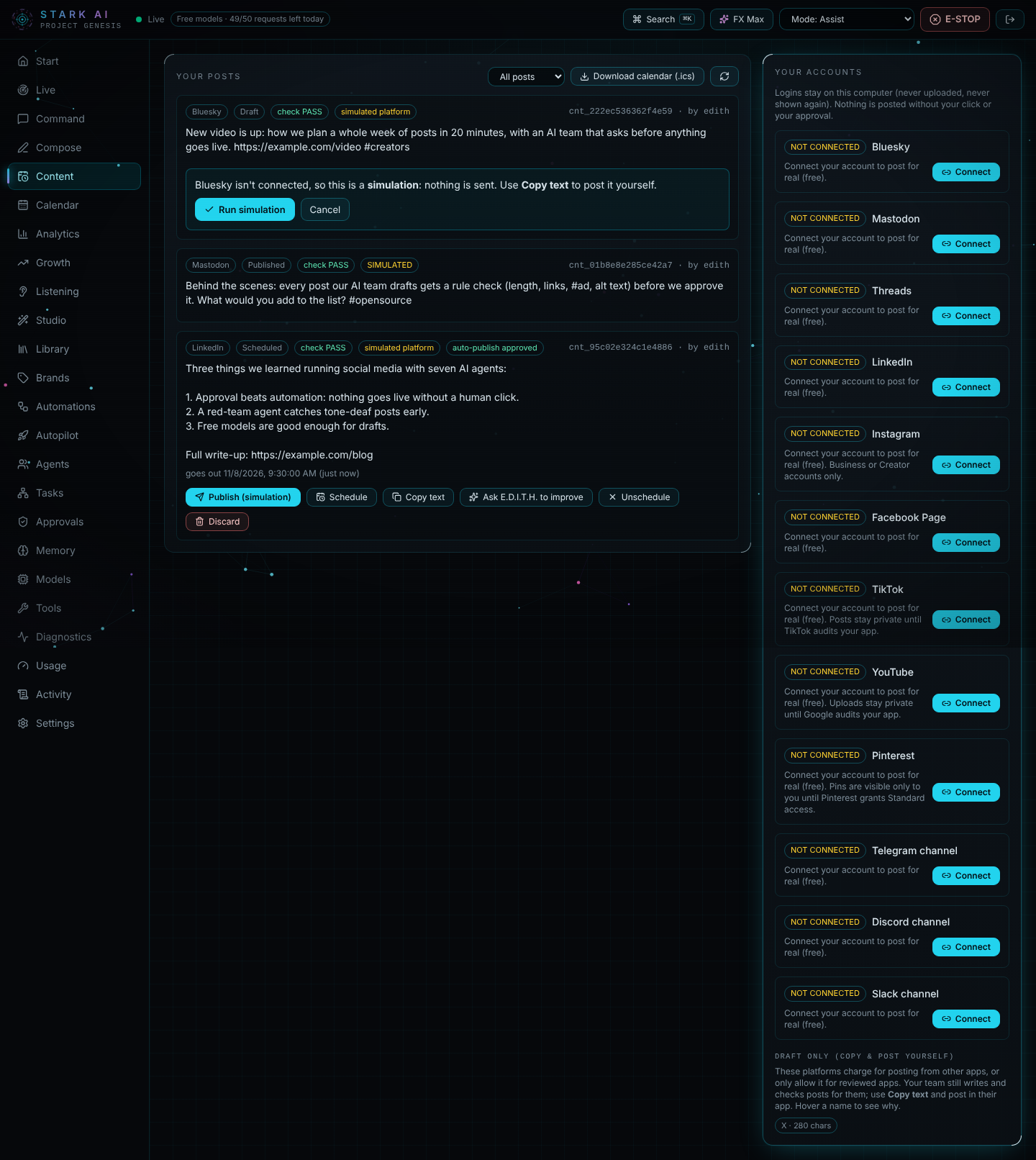
Publishes to Bluesky, Mastodon, Threads, Facebook Pages, LinkedIn, Instagram, Pinterest, TikTok, YouTube, Telegram, Discord and Slack. For X it writes ready-to-paste posts.
Watch the AI work
A live view shows every agent thinking, calling tools and handing work to a teammate on an animated agent network, as it happens.
Calendar and analytics
Drag posts onto a content calendar. See real likes, replies and views from your connected platforms, your best time to post, your top posts, and export it all as CSV.
Listen and repurpose
Follow keywords, hashtags and competitors, get replies drafted for you, and turn one blog post or video into posts for every platform, with free AI images.
Approve from your phone
Telegram messages with Approve and Publish buttons, a daily digest, and A/B hook tests that teach the team what works.
Private by design
Runs on your machine with a local database. Logins are encrypted, renewed before they expire, and only ever sent to their own platform.
Meet the team
| Agent | Job on your social team |
|---|---|
| Vision | Assistant: social strategy, analytics and account health, plus technical questions and planning. |
| Wanda | Assistant: posts, captions, campaigns and replies, plus writing, research and everyday tasks. |
| J.A.R.V.I.S. | Director: briefs, campaign plans, delegation, and a security and brand review of every post. |
| F.R.I.D.A.Y. | Community manager: inbox triage, human-sounding replies, escalation of legal or safety issues. |
| E.D.I.T.H. | Engagement and campaigns: hooks, posts, polls, challenges and giveaways. |
| ULTRON | Audience red team: worst readings, backlash scenarios, a go / revise / kill call. |
| JOCASTA | Intelligence: trends, public competitor research, fact-checks with sources. |
| D.U.M.-E. | Publisher: queue, scheduling, approval-gated publishing, emergency pause. |
| U | Video and visuals: storyboards, shot lists, captions, thumbnails, alt text. |
Fan-made project inspired by the AI personas of Marvel's VisionQuest. Not affiliated with Marvel or Disney.
See it in action
Install
Mac (Apple silicon) · Mac (Intel) · Windows 10/11: everything included, then paste a free OpenRouter key. Updating from version 1.11 or older? Download once; your data is kept.
From source (Python 3.11+, Node.js 20+):
git clone https://github.com/Shahrukhalid/stark-ai.git && cd stark-ai
make setup   # then add OPENROUTER_API_KEY to .env
make dev     # open the dashboard it prints
Questions
Is STARK AI free?
Yes. It is MIT licensed and runs on free OpenRouter models. It never calls a paid model unless you turn that on.
Which social networks does it support?
It posts for real to Bluesky, Mastodon, Threads, Facebook Pages, LinkedIn, Instagram, Pinterest, TikTok, YouTube, Telegram, Discord and Slack once you connect them, and writes ready-to-paste posts for X.
Can the AI post without me?
No. Every post needs your approval of the exact text. Scheduled posts go out automatically only if you approved that text for that time.
Where are my logins stored?
Only on your computer. The desktop app encrypts them, with the key kept in the macOS Keychain or Windows Credential Manager. There is no cloud service.